

Aviation range / Aero Courses
Aero Courses
Ground school planning and booking for flight schools and flying clubs. Module catalogue, planner, public views and bookings: everything is in the plugin.
Aero Courses was written for ground school from the start. Modules, sessions, capacity, booking windows and cancellation deadlines are modelled on the way a school runs a programme: PPL, CPL, ATPL, IR.
Available Free · Premium English and French Premium €8.99 / month excl. VAT v2.4.4
A school can run a whole semester on it, with no cap on sessions, students or bookings.
The plugin calls nothing to do its work: schedule, students and bookings never leave your site.
Dedicated tables, no calendar or events plugin required. Import available from Events Manager.
What the plugin does
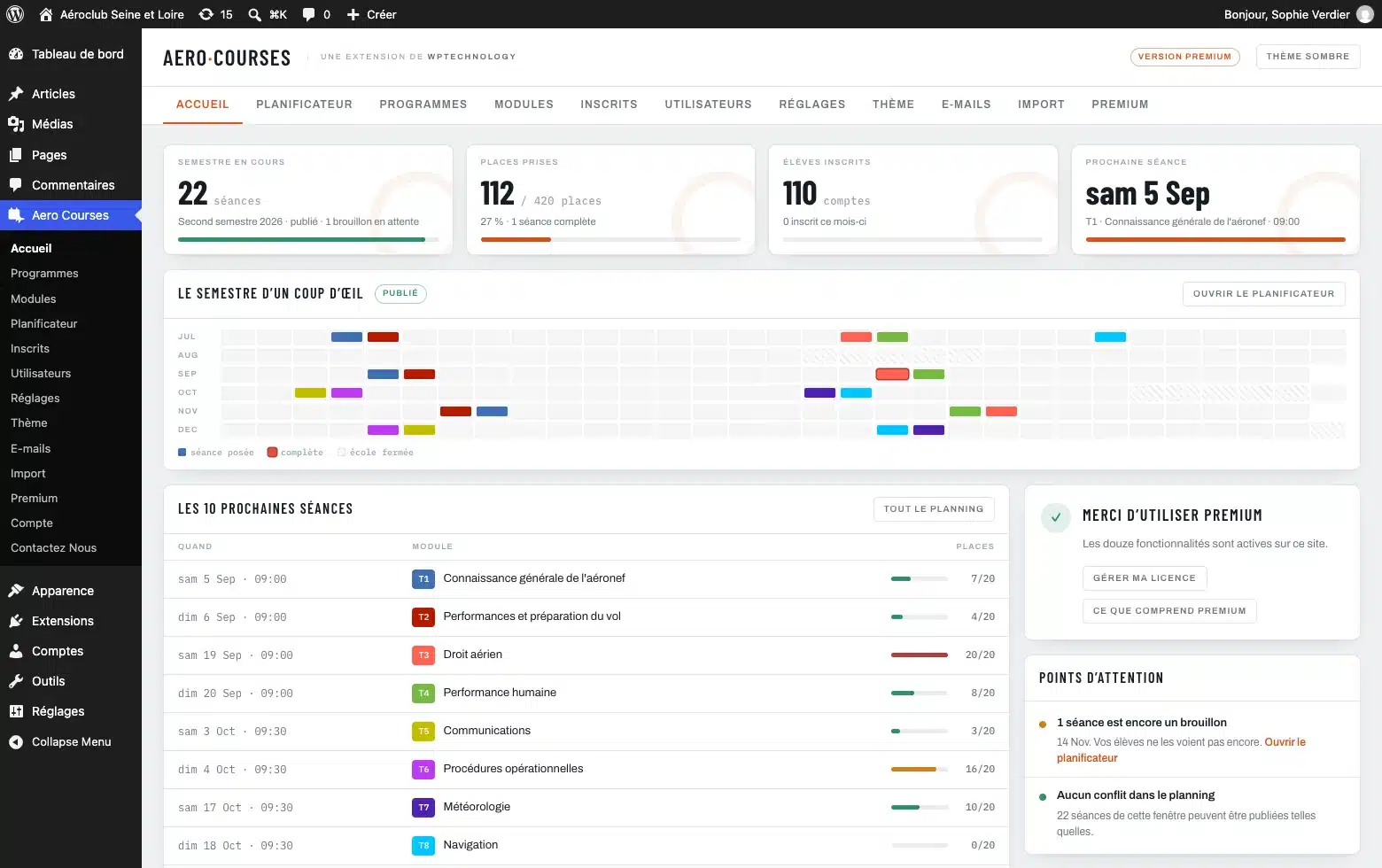
Build the semester
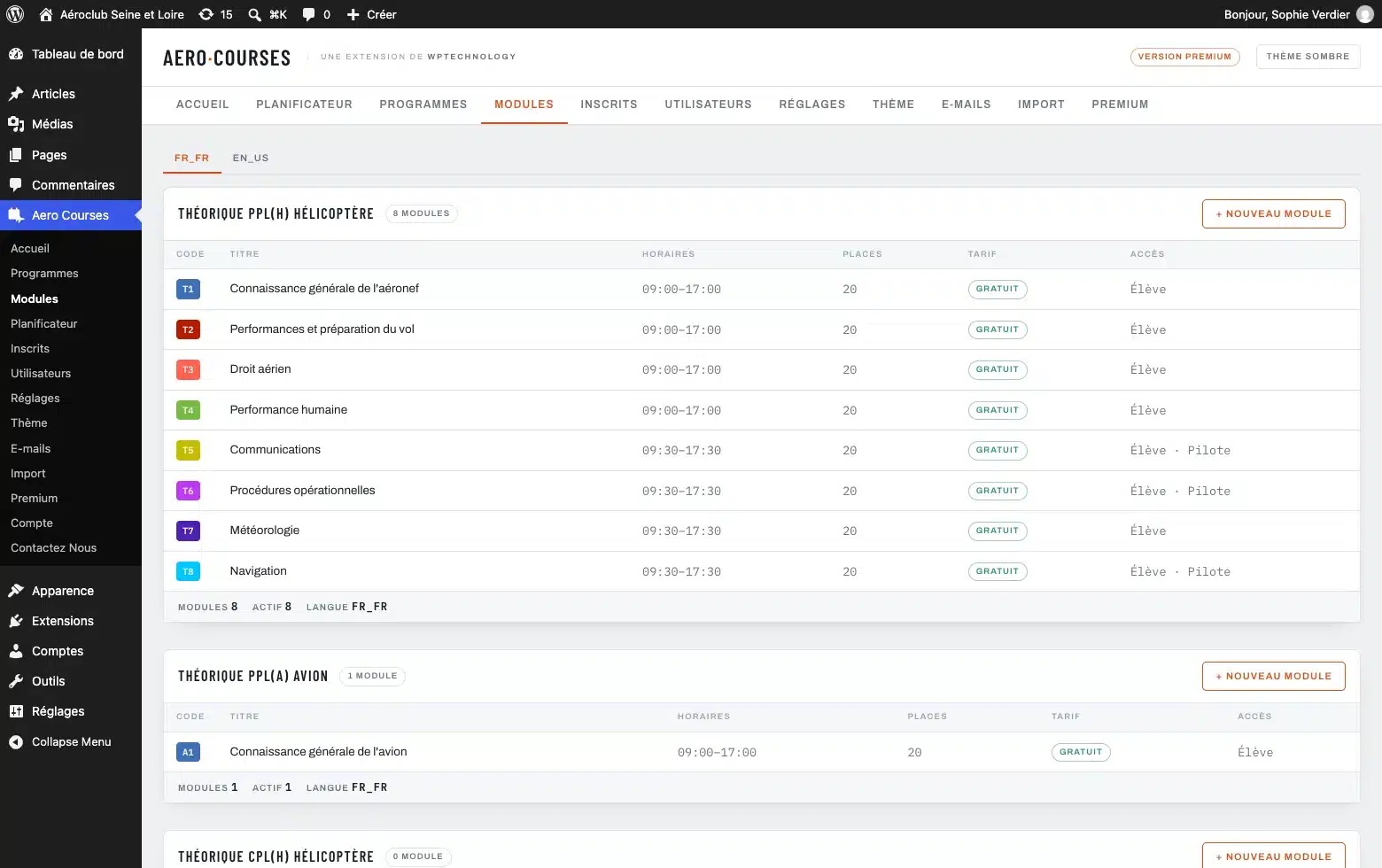
- Modules with a code, a colour, a duration and a default time
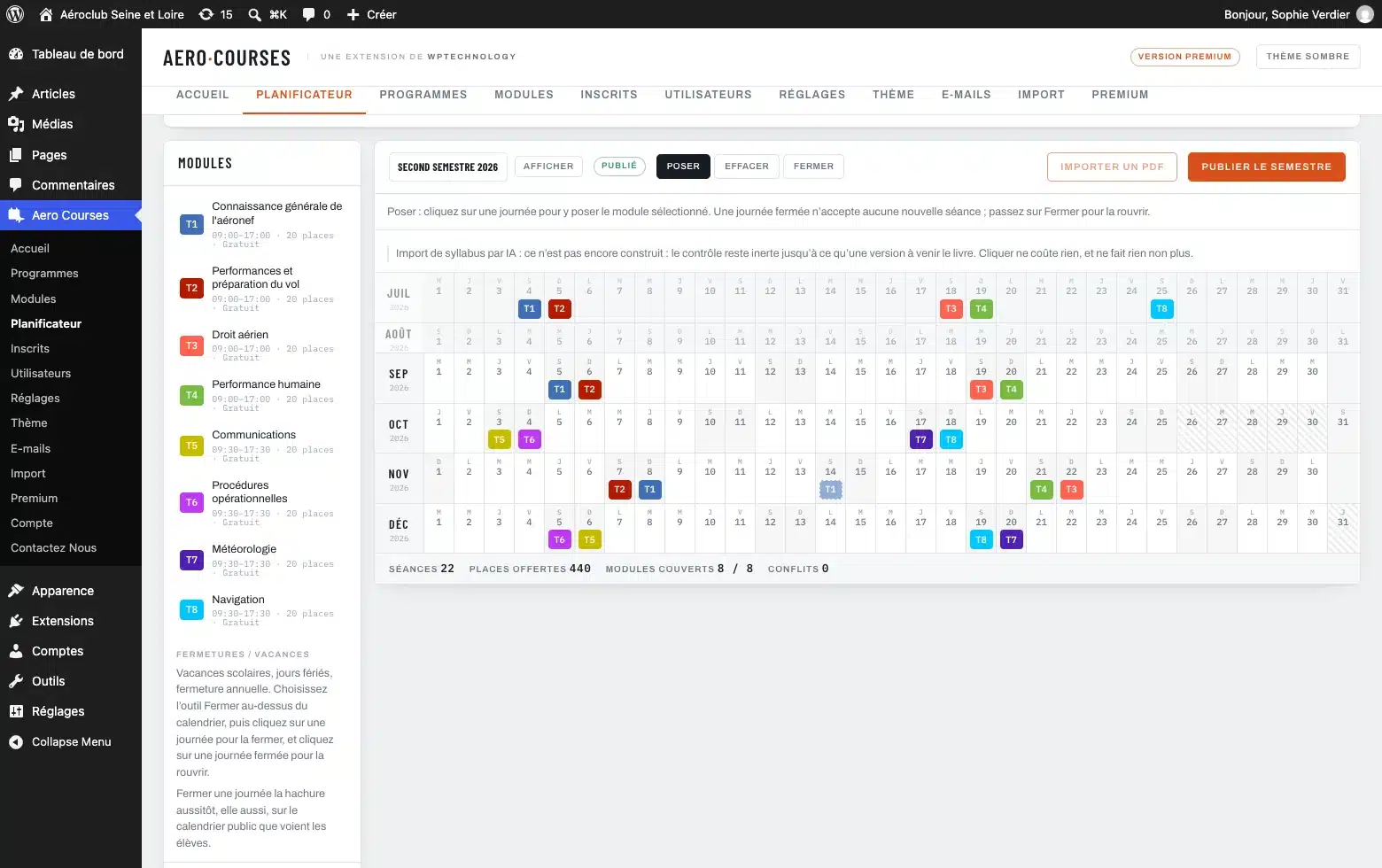
- A planner that lays out the whole semester
- Conflicts flagged before publication
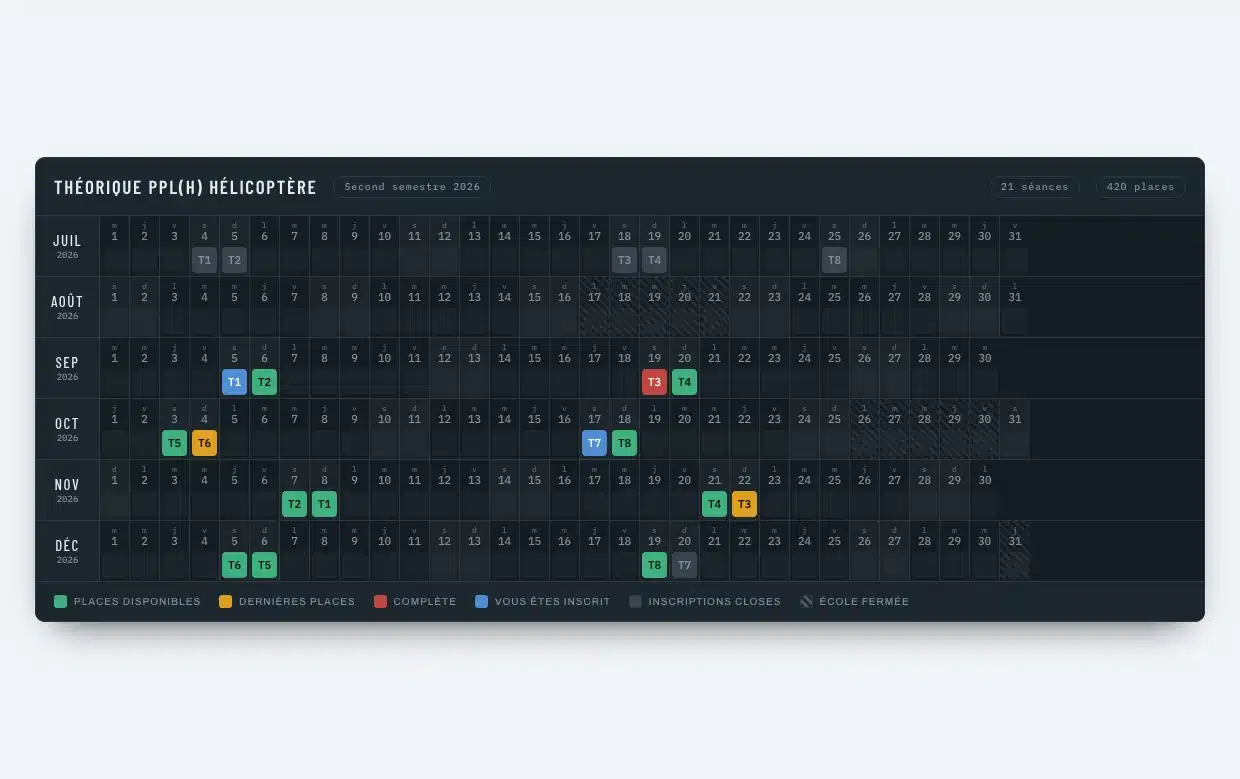
- School closures taken into account
- Everything stays in draft until you approve it
Publish on your site
- An operational board: the semester at a glance
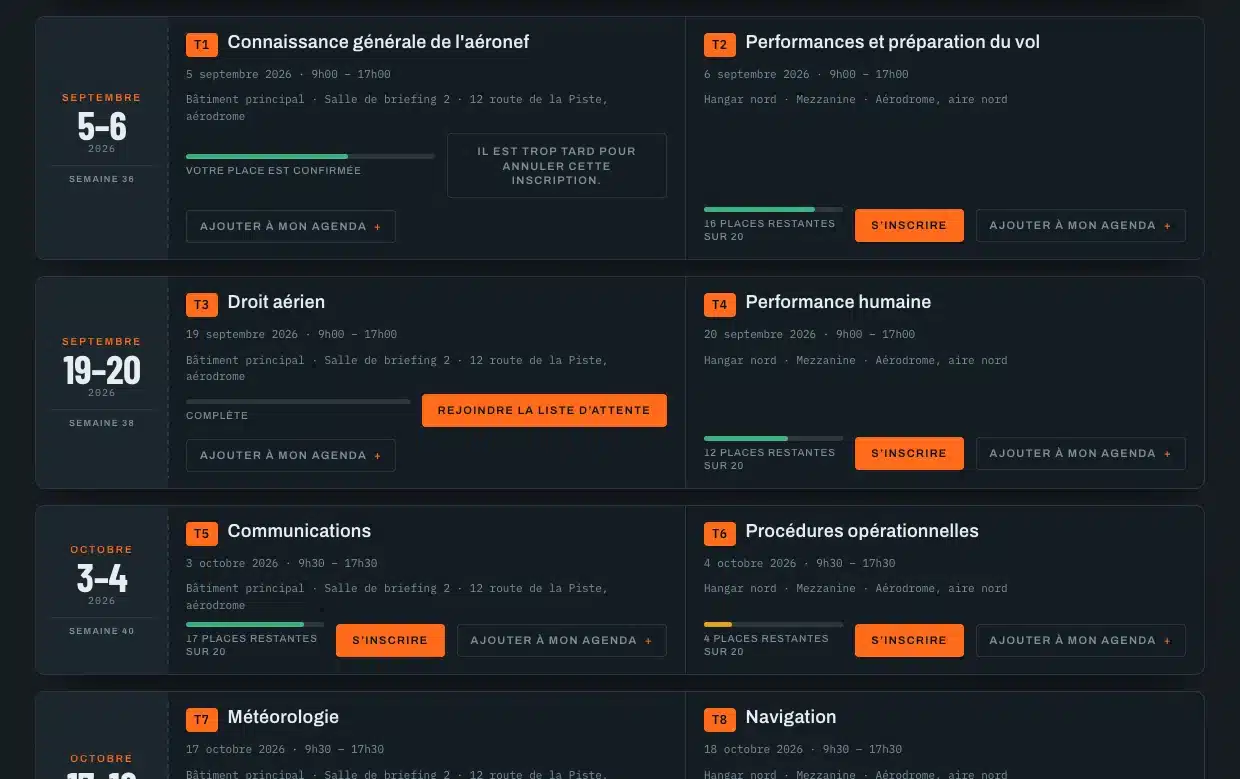
- A booking agenda grouped by day
- Shortcode, Gutenberg block or Avada element
- The same rendering whichever method you use
Take bookings
- Strictly limited seats
- A booking window you open and close yourself
- Cancellation by the student up to a deadline
- A confirmation email to the student, a notification to the school
- A record of students turned away for lack of seats
Keep the register
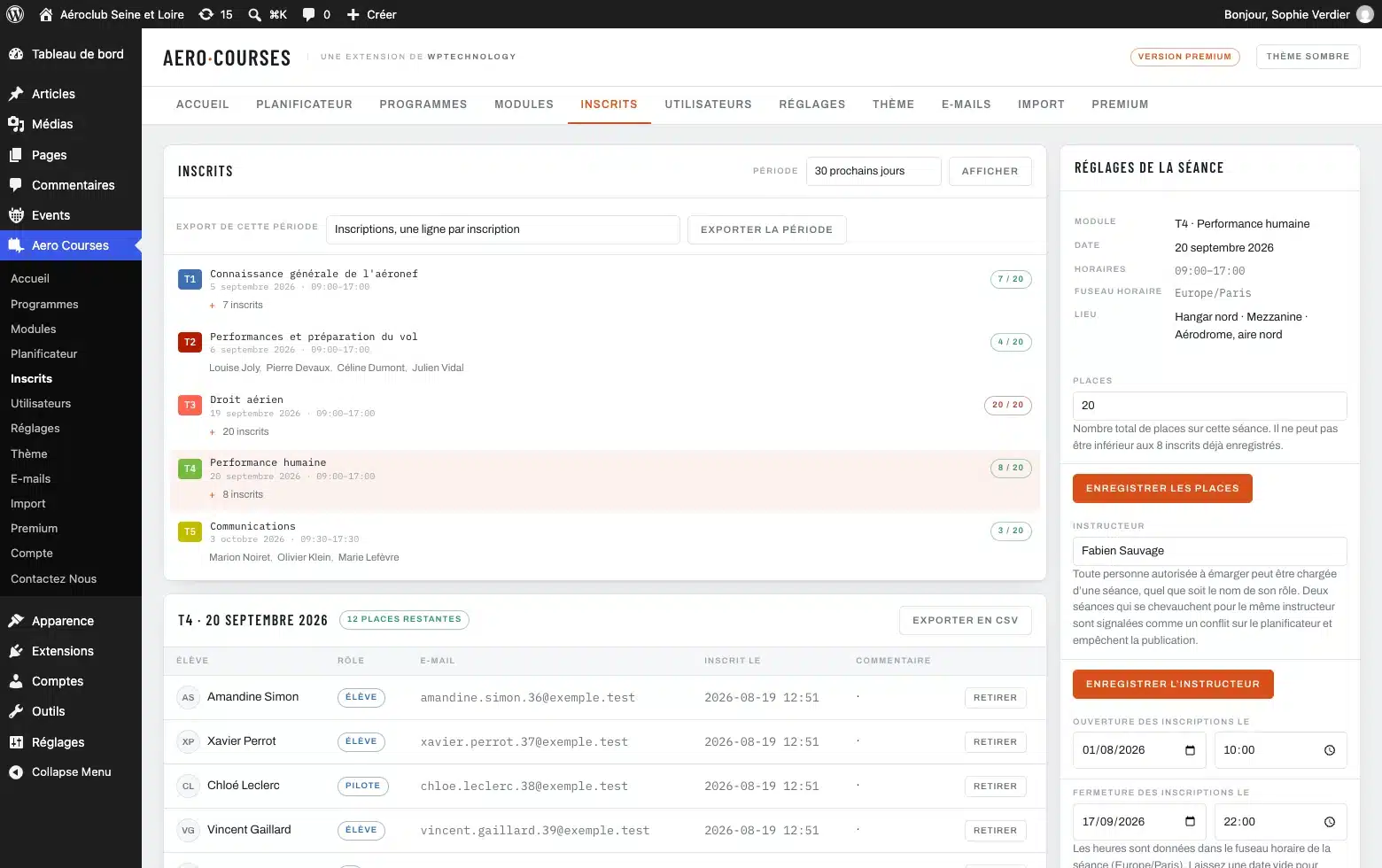
- A registrations screen opened on a period
- A student added or removed by hand
- CSV export of a session
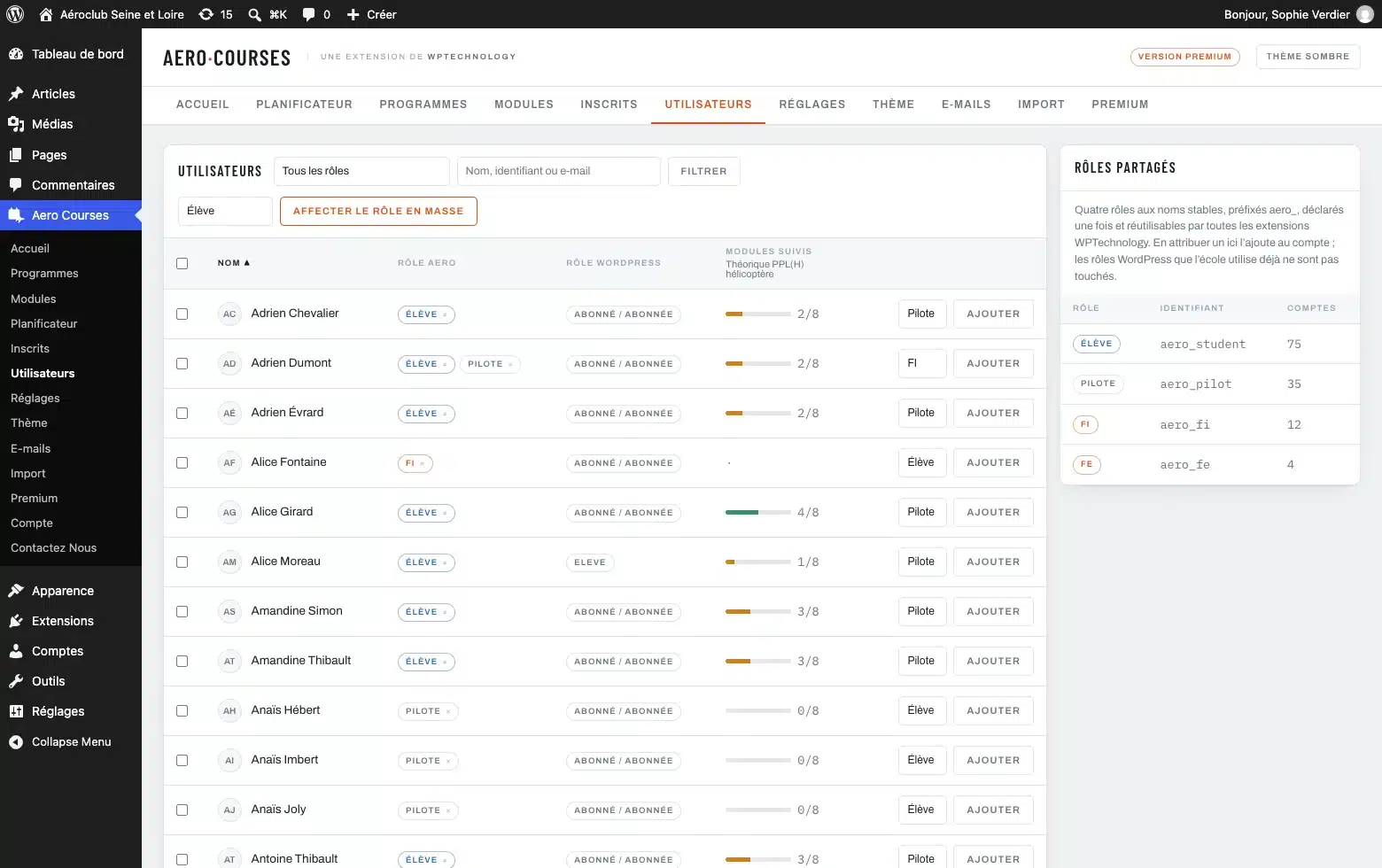
- Four roles: student, pilot, FI, FE
- The role is added to the existing WordPress roles
Multilingual, content included
- The complete interface ships in English and in French
- Titles, descriptions, venues and emails translated language by language
- Each student receives messages in their own language
- Polylang and WPML detected and respected
Bring in what you already have
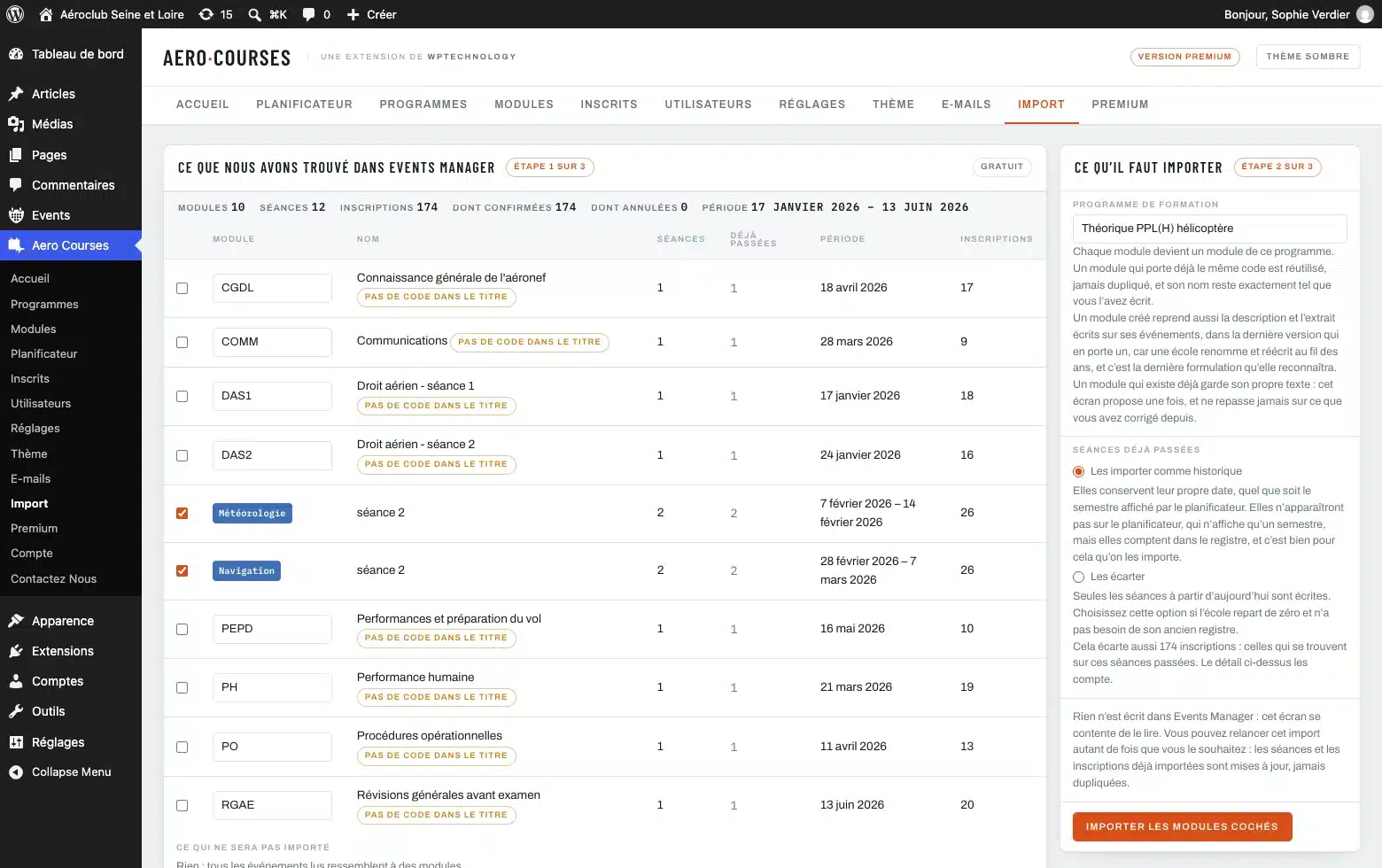
- Import from Events Manager, in the free version
- A module inferred from the title prefix
- A summary of sessions, bookings and exclusions before anything is written
- An import you can run again without duplicates, Events Manager left untouched
Install the free version
The plugin is distributed through the WordPress.org directory. In your dashboard, open Plugins then Add New Plugin, search for “Aero Courses” and click Install Now. Updates then arrive on their own, as for any plugin from the directory.
WordPress 6.0 or later, PHP 7.4 or later. Licence GPLv2 or later. Once it is installed, the documentation takes you from the first programme to the published agenda.
Free or Premium
Premium is for the school that has outgrown doing things by hand. Nothing you already have is switched off afterwards, and the free version holds no feature back behind a licence.
Attending a class does not validate a module: the plugin records signed attendance, and nothing more.
Licence for one site, renewable and cancellable at any time. Prices exclude VAT: the VAT of the buyer’s country is added at checkout, and a school with an EU VAT number deducts it. Payment is handled by Freemius, our reseller, and you are refunded within 14 days if the plugin does not suit you.
Installation
- 1 Install and activate the plugin from the WordPress dashboard.
- 2 Create your training programme and its modules in the Aero Courses menu.
- 3 Put the board or the agenda on a page: shortcode, Gutenberg block or Avada element.
Requirements
- Version
- 2.4.4
- WordPress
- 6.1 or later, tested up to 7.1
- PHP
- 7.4 or later
- Licence
- GPLv2 or later
- Integration
- Shortcode, Gutenberg block, Fusion Builder (Avada)
- Database
- Dedicated tables, no calendar plugin required
Changelog
- 2.4.4
- The Freemius SDK moves to its latest version. Where [aero_progress] is placed without progress tracking, the note an administrator reads simply says that tracking is not active. The other plugins of the range read the upcoming sessions through a stable interface, and the range card offers to install Aerodrome METAR TAF from WordPress.org.
See the 9 earlier versions
- 2.4.3
- The agenda, the board and the progress view go through the WordPress list of allowed tags; WordPress 6.1 or later is required. The Premium screen presents only what the extension does today. Without the extension, progress is no longer shown to students and the agenda no longer offers “Add to my calendar”.
- 2.4.2
- The range’s shared core moves to 1.5.1: the weather plugin of the range carries its new name there, Aerodrome METAR TAF.
- 2.4.1
- The range’s shared core moves to 1.5.0 and knows where Aero Hangar sits in the menu.
- 2.4.0
- The home screen shows the Aero range: the plugins of the range, one line each, those that are installed, read from wptechnology.com once a day at most.
- 2.3.5
- First version distributed through the WordPress.org directory: the plugin installs and updates from your site’s dashboard.
- 2.3.4
- The Premium licence is tied to the published name of the plugin, Leadovation Aero Courses.
- 2.3.3
- Everything the plugin writes on screen is checked and escaped at the moment it is displayed, badges on the Premium page included. The author’s address leads to wptechnology.com.
- 2.3.2
- The free package no longer carries the restriction plumbing: the list of paid features and the gate that refuses them live in the Premium extension, where the features they govern are.
- 2.3.1
- The plugin’s address leads to its own page instead of the root of the site.
Questions fréquentes
The plugin ships the Freemius SDK for the Premium licence and, if you agree to it, anonymous statistics. You can say no and lose nothing.
Does the plugin work with Polylang or WPML?
Yes, and it leaves them in charge. On a site running either of them, the plugin follows the language chosen for the request and registers its strings in their translation screen. Translations already entered in its own tabs keep serving wherever Polylang or WPML has nothing. Email templates stay in the plugin’s editor, because a message body is a document with variables in it, which those screens do not handle as a string.
Does the plugin work with Avada?
Yes. When Fusion Builder is active, two elements appear in the WPTechnology category: the operational board and the booking agenda, with the same options as the shortcode. Each element passes its options on to the shortcode, so there is only one implementation behind both.
Do I need another calendar or events plugin?
No. The plugin stores its data in its own tables and depends neither on Events Manager, nor on The Events Calendar, nor on any other calendar plugin.
Can a student book several classes?
Booking is per session. A student can book as many sessions as they like, on as many modules as they like, as long as seats remain.
What happens when a session is full?
Booking is refused as soon as capacity is reached, and the public view shows the session as full, so no student is left to try their luck. In Premium, the waiting list keeps taking names and alerts the queue as soon as a seat frees up.
Can I run several programmes in the free version?
Yes, as many as the school teaches. PPL(H), PPL(A), CPL, ATPL and IR run side by side, each with its own modules, semesters and students. There is no cap.
Does the plugin send data anywhere?
Your schedule, your students and your bookings never leave your site. The plugin ships the Freemius SDK, which contacts freemius.com for two things: checking a Premium licence and, if you agreed to it on activation, sending anonymous statistics. You are asked first, you can say no, and saying no changes nothing in how the plugin works.
Does attending a class count as passing the module?
No, and the plugin makes no such claim. The authorities certify on the basis of an examination, which the plugin knows nothing about. It records signed attendance, with the name of the person who signed and the time: exactly what an audit comes to check.
Need one more feature?
A particular export, a link with your management software, a rule specific to your school: we add features to the plugin or write a dedicated module.