

Aviation range / Aero Hangar
Aero Hangar
The aircraft register of a flight school or a flying club: what flies today, what is in the workshop and until when, the last reading of each counter, and the on-board documents with the day each one runs out.
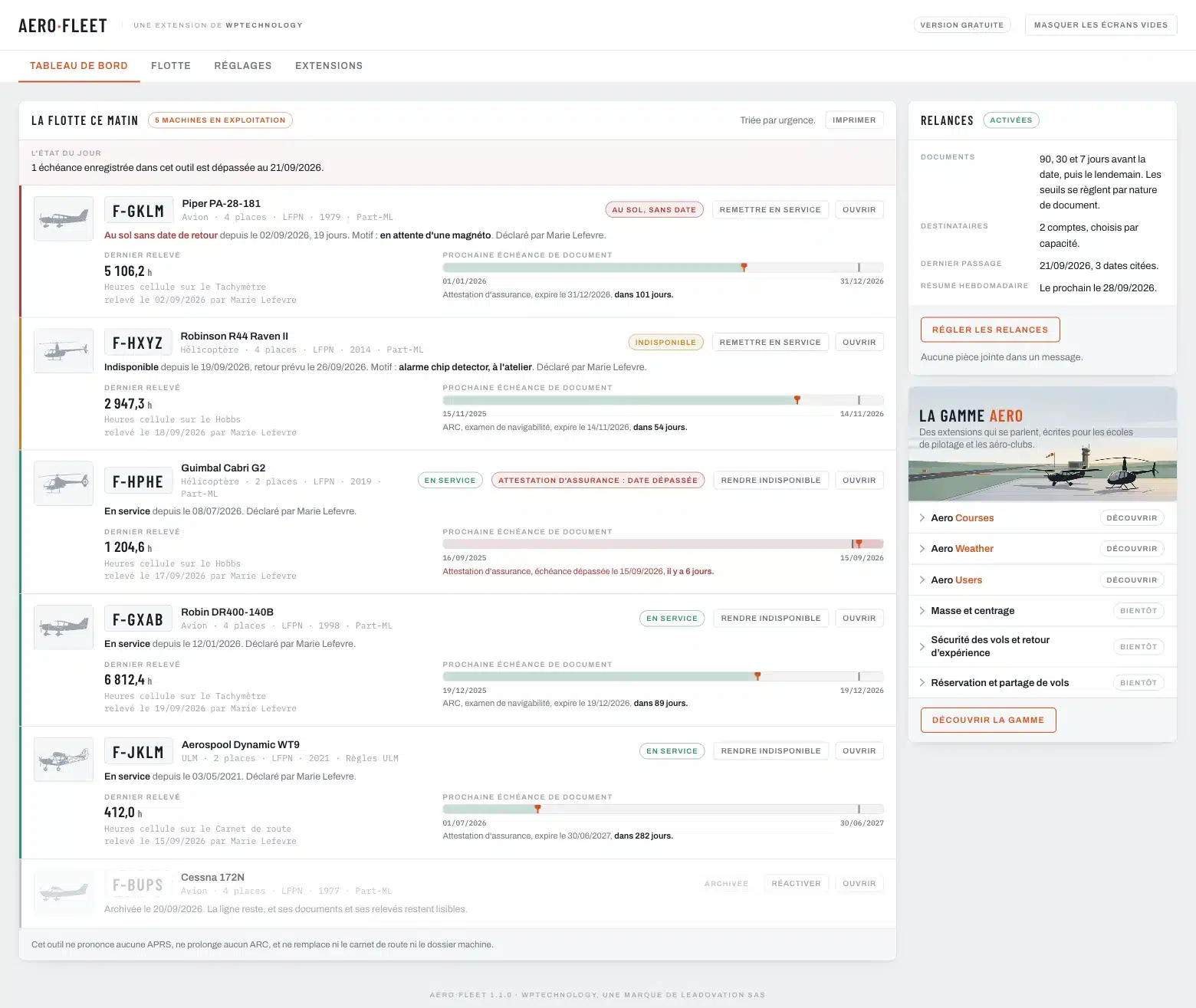
The plugin is written for the fleet manager, who does this job in the evening, standing up, between two flights. Every screen opens on what has to be decided today, and the most frequent gesture, declaring an aircraft unavailable, is one button away on every line.
Available Free, no caps No external service English and French v1.3.0
No cap on aircraft, documents or readings. The dashboard, the reminders and the public blocks are in the version you install.
The plugin calls nothing to do its work. Aircraft, readings and documents never leave your server, and a document is served by the plugin alone, never by the media library.
Dedicated tables, no other plugin required. When Aero Users is installed, the two share their roles; Aero Weight & Balance will read here the aircraft to weigh.
What the plugin does
Keep the register
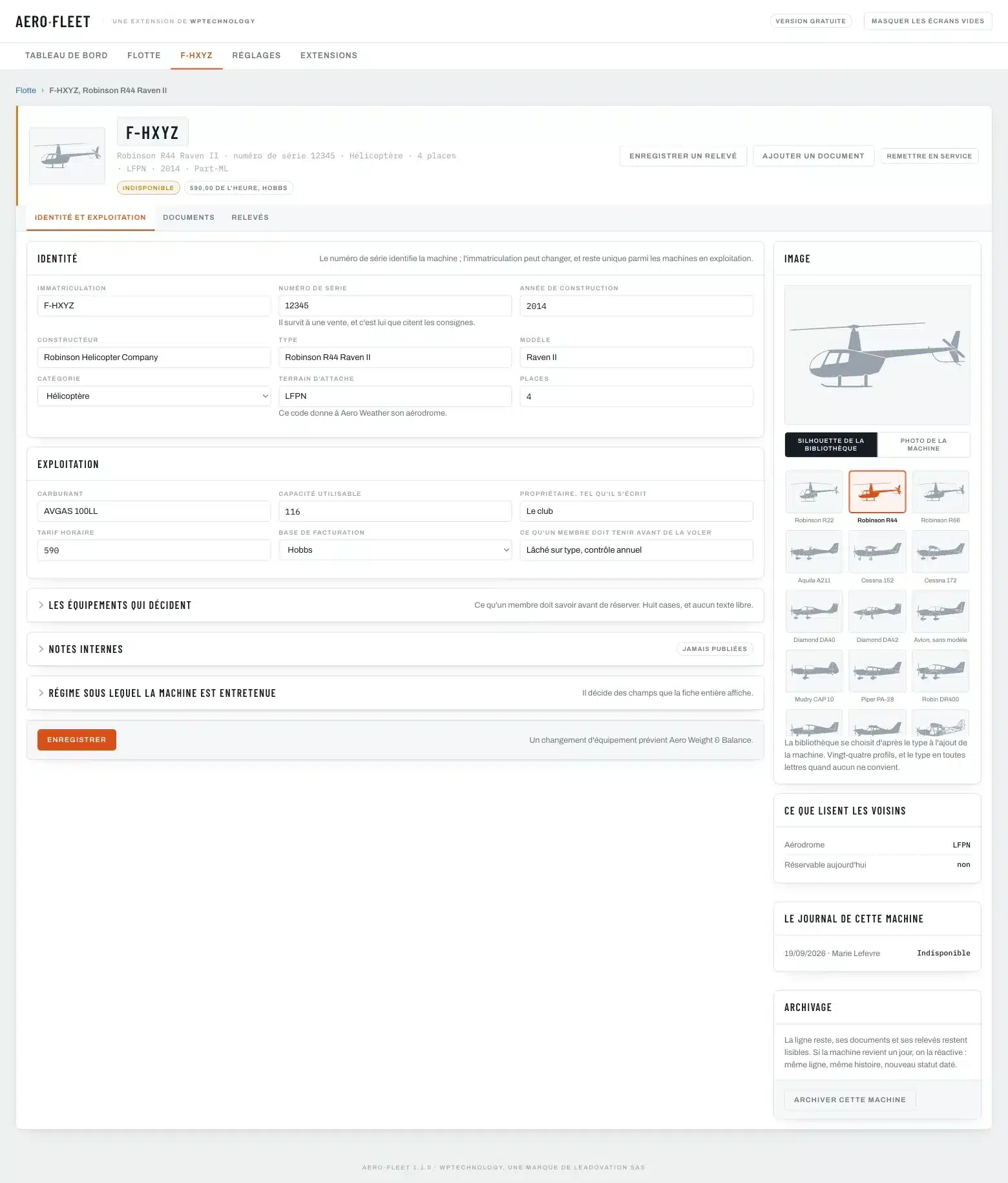
- One file per aircraft: registration, serial number, type picked from a catalogue that fills in the rest
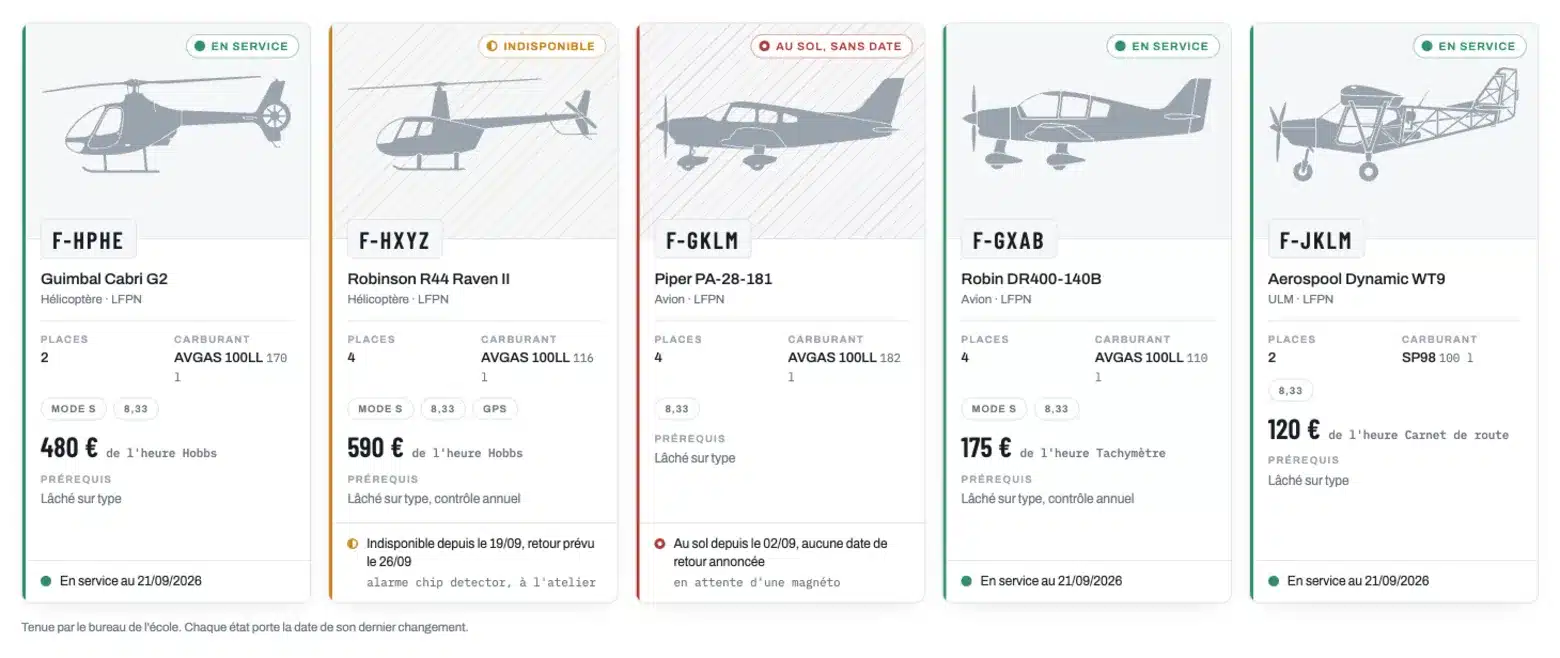
- A silhouette chosen from the type among twenty-four, or the aircraft’s own photo
- Aeroplane, helicopter and microlight, each with the rules it flies under
- Counters that say what they count and on which instrument
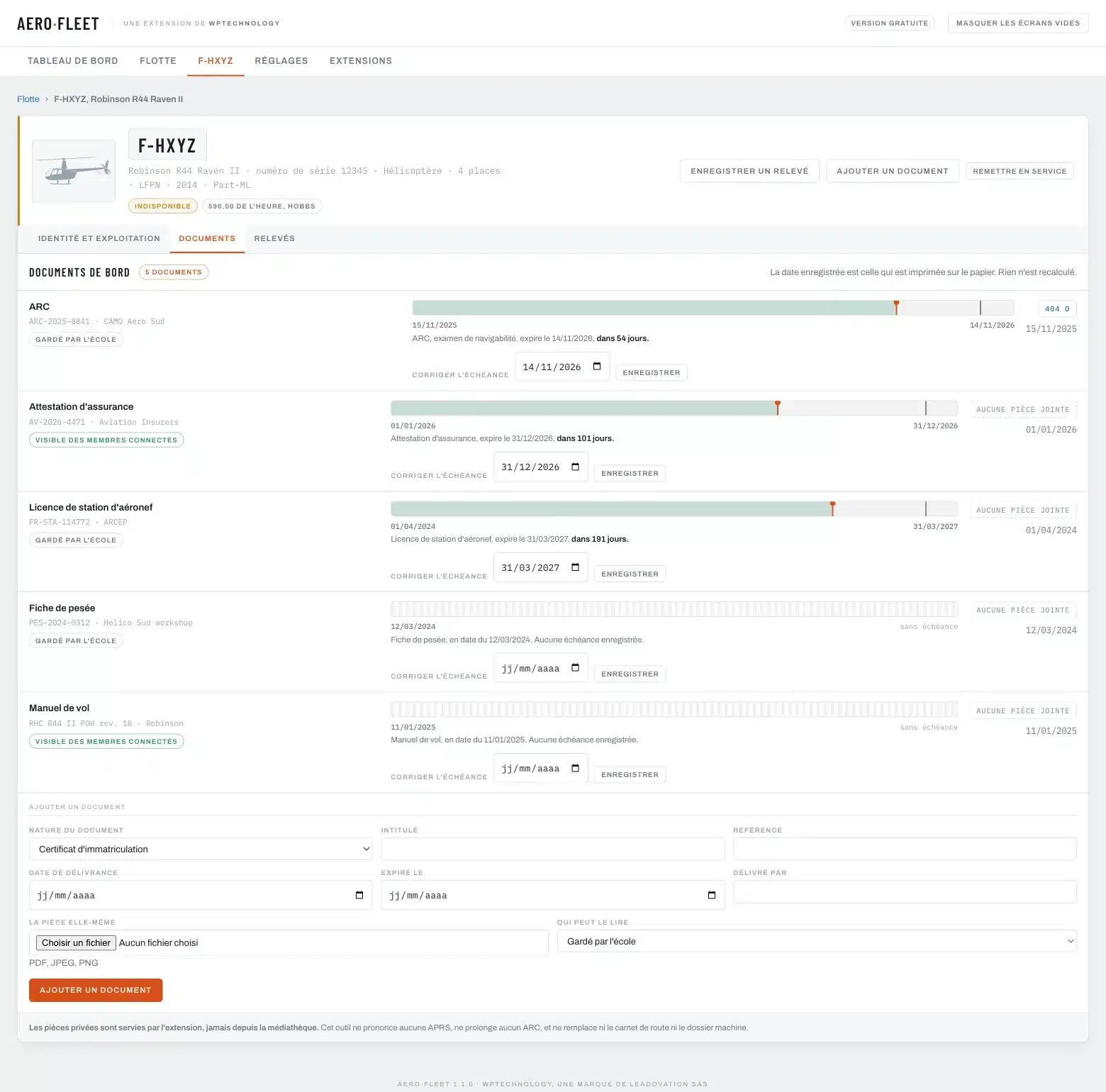
- Eleven kinds of on-board documents, each with its expiry date
Answer before the flight
- The dashboard sorted by urgency: what is grounded first
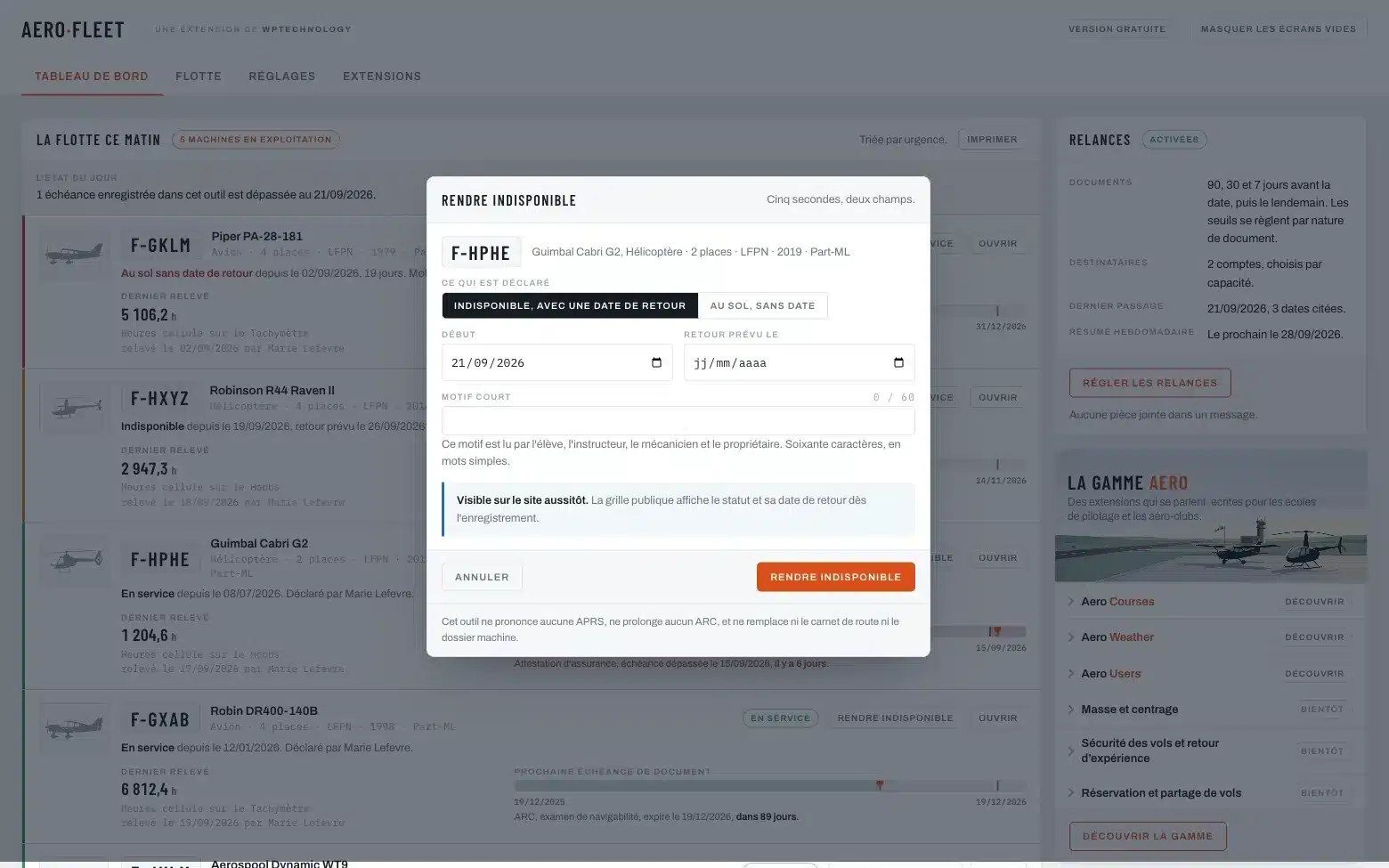
- Declare unavailable with two dates and a reason, from any line
- The expected return announced, for the planning to read
- Two public blocks: the fleet grid and the page of one aircraft
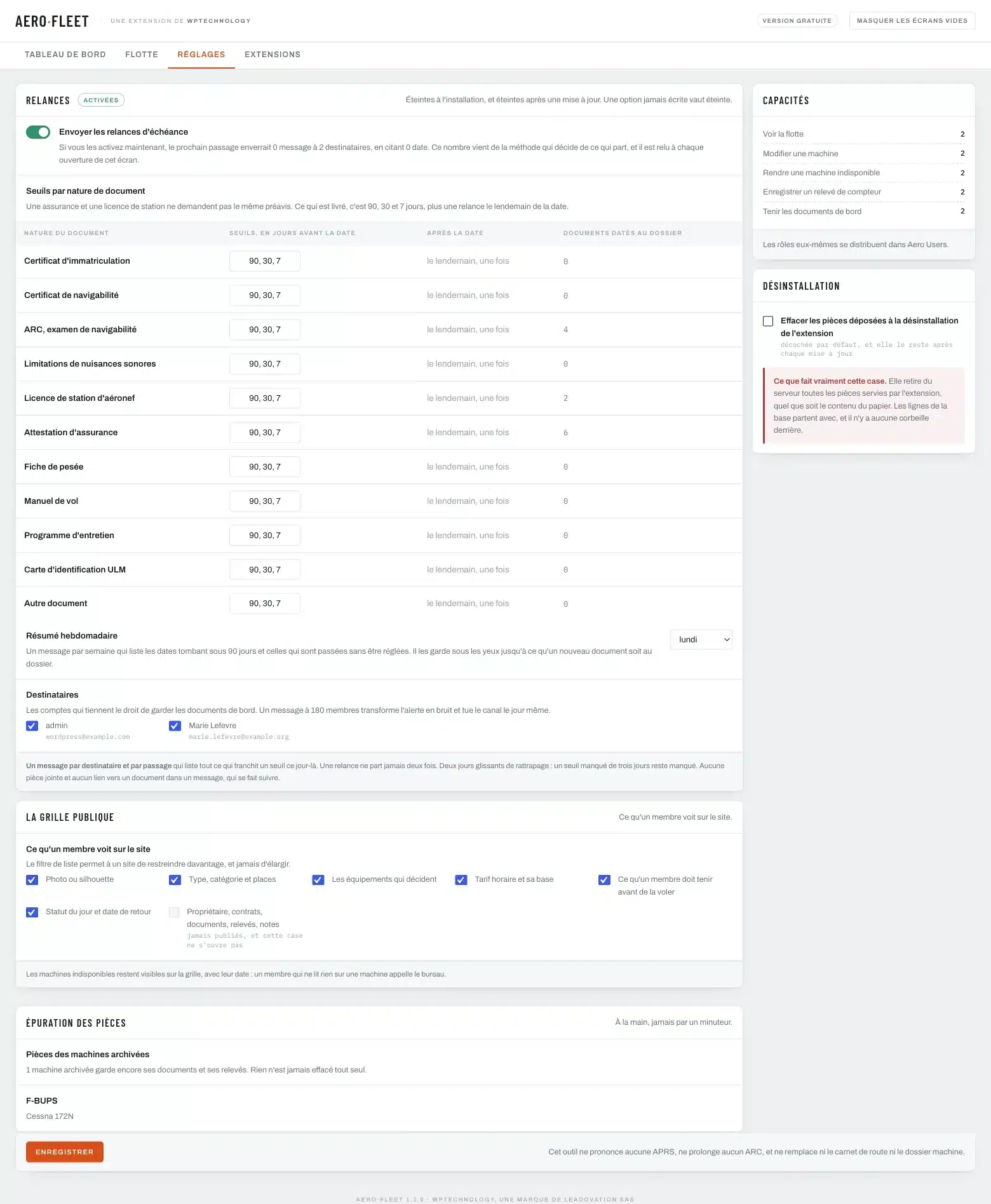
- Reminders at 90, 30 and 7 days before, one the day after, and a weekly summary
Lose nothing
- A status is said by somebody, on a date, for a reason: the journal keeps all of it
- A reading never overwrites the previous one
- Documents in a closed folder, served only to the account that holds the right
- A log of refused downloads, readable in the settings
- A sold aircraft is archived; if it comes back, you reactivate it, the serial number is what counts
A status is a sentence said by somebody, on a date
An aircraft shown as “in service” in Aero Hangar means that one person said so on one date. It is a statement by the club about how it organises itself. The plugin issues no release to service and extends no airworthiness review certificate: those signatures belong to the organisations entitled to sign them, and no line written here replaces them.
It replaces neither the journey log, which the crew fills in and which travels with the aircraft, nor the aircraft file, which the maintenance organisation keeps. It records what the club decided about a machine, who decided it and when, so that everybody reads the same thing. And it says so on every screen where the question could be read the wrong way.
What the plugin keeps
- The aircraft
- One file per machine: registration, serial number, manufacturer and model picked from the catalogue, category, seats, home base, year, operating rules, hourly rate, silhouette or photo.
- The statuses
- In service, unavailable, grounded with no return date, archived. Each one opened by a person, on a date, for a reason, with an expected return when there is one. The screen of today reads the open line, the history stays readable underneath.
- The counters
- A reading is identified by what it counts and the instrument it is read on: airframe hours on the Hobbs, on the tachometer, on the journey log. Two different pairs are two different series.
- The documents
- Eleven kinds, from the certificate of registration to the insurance certificate, the radio station licence, the weighing report and the maintenance programme. A date read on the document, a visibility, a file when you have it.
- The reminders
- Ninety, thirty and seven days before, one the day after, with thresholds per kind of document. One message per recipient and per pass, never twice for the same date. Off until the school switches them on.
- The public pages
- The fleet grid and the page of one aircraft, as a block or a shortcode, in light and in dark. Nothing about owners, contracts, documents or readings appears there.
Installing it
Download the archive, then in your WordPress: Plugins, Add New Plugin, Upload Plugin, choose the file and activate. Open the Aero Hangar menu and add your first aircraft: the catalogue fills in the model, the category and the seats for the most common types. Then record the documents that carry a date, the insurance certificate and the airworthiness review certificate first. The plugin needs WordPress 6.3 and PHP 7.4 at least.
Requirements
- Version
- 1.3.0
- WordPress
- 6.3 or later, tested up to 7.1
- PHP
- 7.4 or later
- Licence
- GPLv2 or later
- Integration
- Two Gutenberg blocks, three shortcodes, a façade for developers
- Data
- Everything stays on your server; no external service
The steps
- 1 Upload the archive and activate the plugin.
- 2 Open the Aero Hangar menu and add the first aircraft.
- 3 Record the documents that carry a date, and switch the reminders on when you are ready.
- 4 Put the fleet grid on a page of the site: the “Our aircraft” block or the [aero_hangar] shortcode.
Links and languages
- Languages. The plugin ships in English and in French.
- Shortcodes.
[aero_hangar]for the grid,[aero_hangar_aircraft immat="F-GKLM"]for one aircraft,[aero_hangar_rate immat="F-GKLM"]for its rate in the middle of a sentence. - The range. Aero Hangar recognises Aero Users, Aero Courses and Aero Weather when they are installed beside it, and opens its list of aircraft to them.
Frequently asked questions
Does it replace the journey log or the aircraft file?
No, and it never will. The journey log is filled in by the crew and travels with the aircraft; the aircraft file belongs to the maintenance organisation. The plugin records what the club decided about a machine, who decided it and when.
Who can see the documents?
Only the accounts that hold the permission to keep the on-board documents, unless you decide otherwise document by document: kept by the school, visible to signed-in members, or visible to everyone. Files never go through the media library, and a refused request is written to a log you can read.
An aircraft is back from the workshop. What do I do?
Open its line and declare it back in service, on the date it actually came back. The open unavailability is closed on that date, and the history keeps both.
What about an aircraft the club sells?
You archive it. Its line stays, its documents and its readings stay readable, and it leaves the public grid. If it comes back one day, you reactivate it rather than creating a second line: the serial number is what says it is the same aircraft.
Do I need the other plugins of the range?
No. Aero Hangar stands on its own and carries its own copy of the shared core. When Aero Users is installed beside it, the two share their roles rather than each keeping a list of its own.
Will there be a Pro version?
Yes, for the club that keeps its maintenance schedule somewhere else and would rather keep it here: due items in hours and dates with their tolerance, a ninety day planner, hour projection, workshop return on one screen, owners and contracts. Nothing you install today will be taken away.
Changelog
- 1.3.0
- Renamed Aero Hangar; shortcodes and blocks follow: [aero_hangar], [aero_hangar_aircraft], [aero_hangar_rate].
- 1.1.1
- The Aero Core base moves to 1.5.1: the weather plugin of the range is listed under its new name, Aerodrome METAR TAF.
- 1.1.0
- A library of twenty-four aircraft silhouettes, chosen from the type and changeable on the aircraft file; a photo from the media library still takes precedence.
- 1.0.0
- First release: the aircraft register of a flight school. The file of an aircraft with a catalogue of types that fills in the model, the category and the seats; a dated status journal; counter readings identified by what they count and the instrument; the on-board documents and their expiry dates in a closed folder; reminders by e-mail, off at installation; a dashboard sorted by urgency; two blocks and three shortcodes for the club’s site.
Need one more feature?
A kind of document specific to your authority, an export for your maintenance organisation, a link with your booking planner: we add features to the plugin or write a dedicated module.